How do you collect guest phone numbers at the host stand without slowing check-in?
Phone numbers power text paging, but asking for them badly creates friction and privacy worries. A fast, respectful way to get the number right the first time.
Ask with the reason attached
Guests hesitate when they are asked for a phone number with no context, because they assume marketing. The fix is to attach the reason in the same breath: ask for a mobile number so you can text them the moment their table is ready. Said that way, the number is obviously for their benefit, and almost everyone hands it over. Hosts who ask for the number first and explain second get more pushback and more wrong digits. Related: How do you text guests the moment their table is ready reliably?
Say what you will not do, too, when it helps. A quick reassurance that the number is only used to text them tonight settles the guest who is wary. If your restaurant does send marketing texts, keep that a separate, clearly optional opt-in and never bundle it into the waitlist request. Blending the two erodes trust and, depending on how your messages are sent, can raise consent questions under US texting rules, so it is worth confirming your approach with someone who knows those rules. Related: How do you manage a restaurant waitlist during a packed weekend rush?
Keep reading: How do you text guests the moment their table is ready reliably?, How do you quote accurate wait times so guests are not frustrated?, How do you manage a restaurant waitlist during a packed weekend rush?. See how TablePingr helps you guest table-ready sms paging for restaurants.
Let the guest type it, or read it back
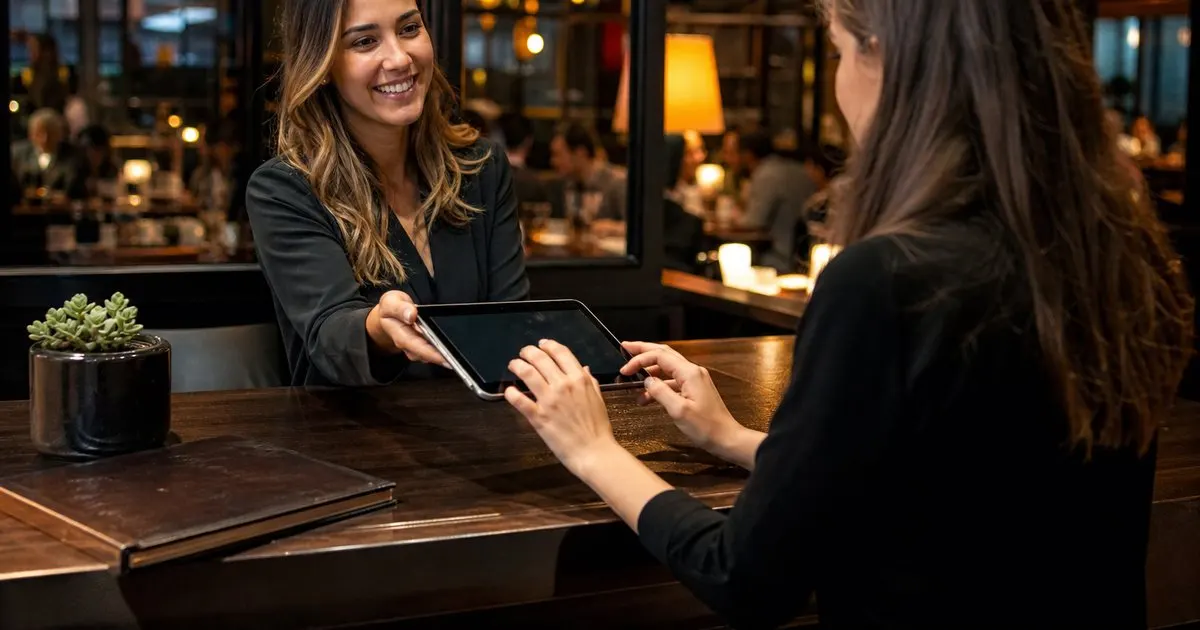
Numbers get mangled when a host types what they think they heard over a loud lobby. Two approaches fix most errors. One is turning the tablet or handing over a device so the guest types their own number; people rarely mistype their own phone number. The other is the host typing and then reading the full number back before saving. Either takes a few seconds and prevents the silent page that goes to a stranger.
A confirmation text closes the loop. If your tool can fire a short on-the-list message the instant the party is added, the guest sees it land while they are still at the stand. That single message confirms the number is right, proves the texts get through, and sets expectations for what the table-ready message will look like. It also quietly solves the guest who says they never got the text an hour later. Related: Why should a restaurant ditch physical pager buzzers for guest text paging?
Keep the whole check-in under thirty seconds
A check-in has four pieces: party size, name, phone number, and any preference or note. On a busy night the host should move through them in a fixed order every time, because a fixed order is faster and easier to keep accurate than freestyle conversation. The quote can be given while the last field is typed. If the tool is laid out so the number field is right next to the name field, the host's hands never leave the same spot on the screen.
Pre-check-in helps when the line is out the door. A simple sign or a card inviting guests to join the list from their own phone lets them add themselves while they wait to reach the stand, which removes the phone number step entirely from the host's hands. Some restaurants use a second host who works the line with a tablet and collects the details before the party reaches the stand. Either way, the goal is that the person at the stand is seating and quoting, not typing. Related: How do you quote accurate wait times so guests are not frustrated?
Handling the guest who declines
Some guests will not give a number, and that has to be fine. Have a graceful fallback ready: tell them you will call their name at the stand and ask them to stay within earshot. Put a clear marker on their waitlist entry so no host tries to page a number that does not exist. Treat them exactly like any other party in the order; the only difference is how they are notified.
Then respect the number you were given. Do not add waitlist numbers to a marketing list without a separate opt-in, delete or anonymize old lists on a schedule if your tool allows it, and make sure staff are not reading numbers off the screen where other guests can see them. Tools like TablePingr keep the number tied to tonight's visit and out of the way, but the culture at the stand matters more: a guest who trusts you with a number tonight is a guest who comes back.
- Ask for the number with the reason attached, so the guest knows it is for the table-ready text.
- Let the guest type it or read it back, then confirm with an instant text.
- Use a fixed check-in order and pre-check-in from the line to keep the stand moving.
- Give a graceful fallback for guests who decline, and never reuse numbers for marketing without a separate opt-in.

Julien Jimenez
Julien Jimenez is an independent software builder based in Paris. He designs, ships, and operates focused SaaS products for small businesses and independent professionals. Read the full author page.
Text Guests The Moment Their Table Is Ready
Guest table-ready SMS paging for restaurants. TablePingr is built to help you put this into practice.
Start free trialMore from the TablePingr blog

How do you text guests the moment their table is ready reliably?

How do you quote accurate wait times so guests are not frustrated?

How do you manage a restaurant waitlist during a packed weekend rush?
Get the TablePingr playbook
Practical guides on host stand and waitlist, straight to your inbox as we publish them. No spam, unsubscribe any time.